Correct invoices with a clear document trail
Correct the invoice. Keep the original and the credit linked.
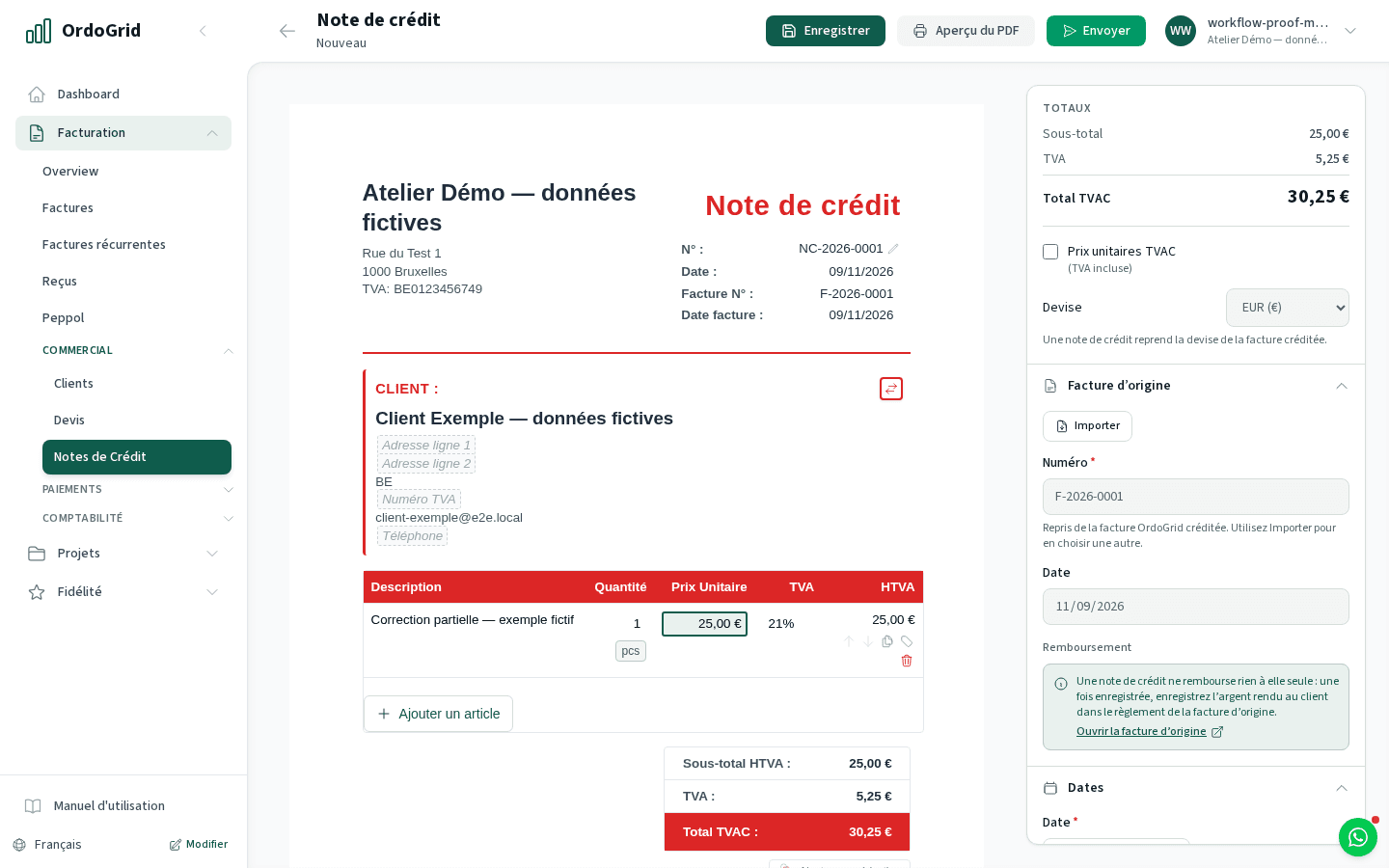
Start from an invoice already in OrdoGrid, choose the correction and review the linked credit note before sending it. Keep document correction, outstanding balance and money refunded as separate decisions.
For an agreed reduction, returned goods, a duplicate or an invoice that needs replacing. An unpaid but correct invoice calls for payment follow-up; it does not by itself call for a credit note.
Compare plansHow the workflow works
Identify the original and the reason
Open or select the existing invoice. Check what was issued and sent, what the customer disputes and which amounts or lines must be corrected. Keep the customer and original reference clear.
Choose the amount to credit
Create the credit note from that invoice. Check full versus partial credit, lines, quantities, VAT and the reason. For a replacement, agree the correction approach with the accountant before issuing a new invoice.
Review and send the correction
Check the generated document and original-invoice reference. Use the appropriate sending workflow, including Peppol for the supported structured correction. A transmission status is distinct from customer acceptance.
Check the remaining balance
Read the invoice’s settlement and movement history after the credit. If money must be returned, make the refund separately and record only the amount actually refunded. The credit note itself moves no money.
Worked example
Reduce an unpaid invoice without overwriting it
The original remains 1,210. The linked credit explains the 242 reduction. Check recorded payments too: if the customer had already paid the original total, a refund decision replaces an outstanding-payment decision.
- Original invoice
- €1,210.00
- Agreed credit
- -€242.00
- Remaining amount before payments
- €968.00
Decide with the limits in view
- A credit note is a corrective document, not a refund transaction. Do not describe a credit as money already returned.
- Review the original and any previous credits before issuing another correction. New invoices need their own references and sending checks.
- A rejected delivery or a disputed invoice can have different causes. Diagnose the error before crediting and reissuing the document.
Before you choose
- Can I issue a credit note on Free?
- No. Sales credit notes are included in Starter and Business. Free receiving can still bring in a supplier’s credit note.
- Does creating a credit note refund the customer?
- No. It changes what is owed through the linked correction. You arrange an actual refund separately, then record the confirmed movement.
- Should I create a credit note for an overdue invoice?
- Not just because it is overdue. Check whether the invoice is wrong or an agreed reduction exists. Follow up a correct unpaid balance under its original invoice reference.
Continue with the practical guides
Read the relevant guide for detailed steps and dated references.
Inside the application