Business · supplier documents
Bring supplier PDFs into your Accounting document queue.
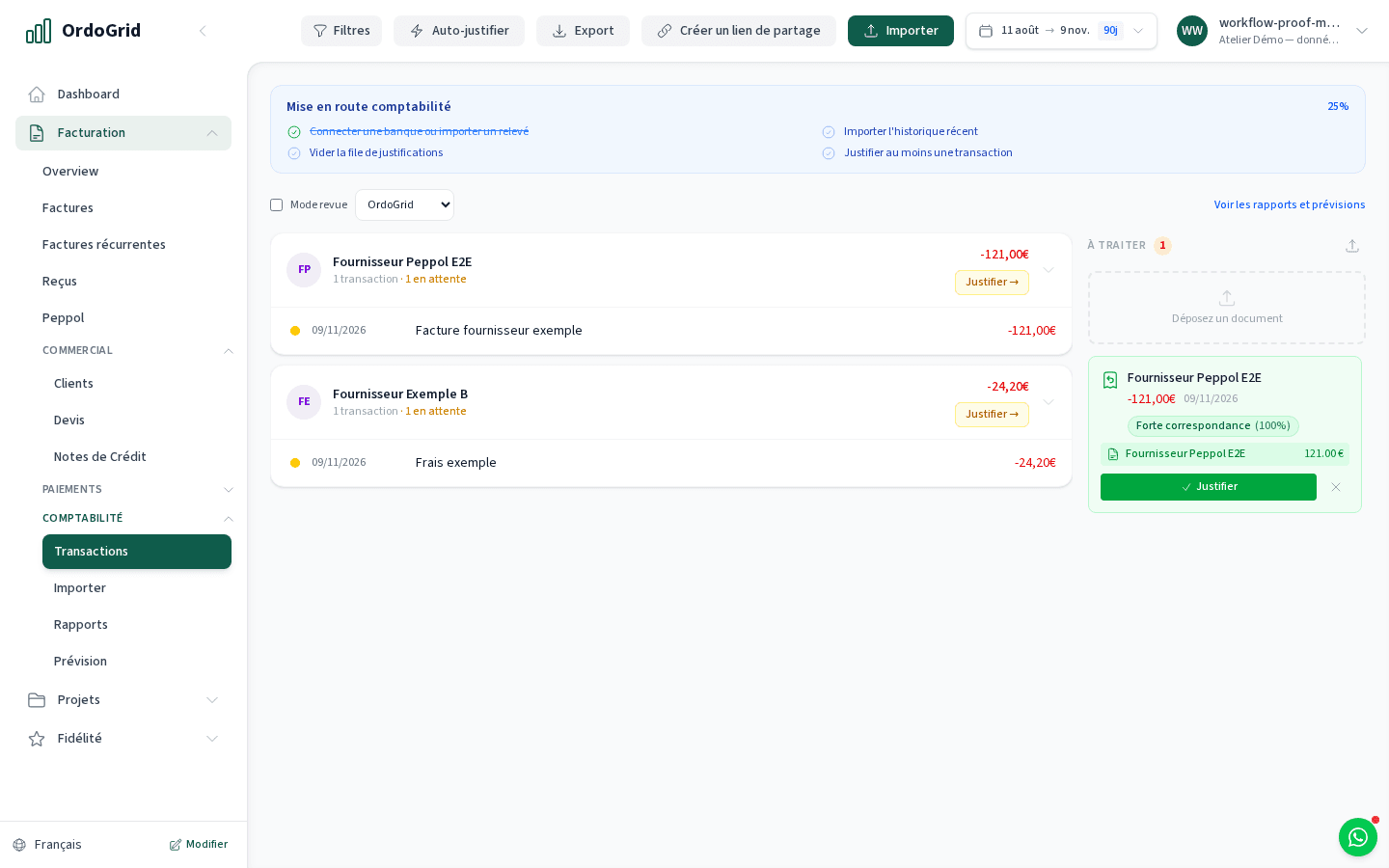
Upload a readable supplier PDF in Accounting. The application extracts its text and uses AI to propose a summary with parties, date, amount and reference. Review the original before linking a bank movement; an extracted summary is not a verified accounting entry.
For purchase documents received outside the Peppol inbox that need supporting a bank transaction. If a structured supplier invoice already arrived through Peppol, use that document and avoid uploading its PDF copy as another purchase.
Compare plansHow the workflow works
Choose the supplier’s readable PDF
Open the document queue in Accounting and upload the file as an authorised owner/admin. It is sent to the server for text extraction and AI processing, then stored as a pending document with its source file.
Compare the summary with the original
Check supplier, recipient, document date, amount, currency and reference. This summary is not an editable invoice-line or VAT review form. A textless scanned image is not supported by this parser; obtain a readable original.
Review the bank association
Compare suggested bank movement, payment direction, reference and amount. Choose the actual transaction and check the source before confirming. Leave an uncertain association unresolved rather than accepting a plausible amount alone.
Keep evidence for the handover
Retain the supplier document and check the justified transaction in the period you hand over. Agree which originals the accountant needs. Matching a document does not execute a supplier payment or approve its tax treatment.
Worked example
A supplier document and a possible bank debit
Equal amounts alone do not establish a match. Check the document and the movement together. If the extracted summary is wrong or the reference is unclear, do not confirm the association.
- Amount on supplier PDF
- €121.00
- Possible bank debit
- -€121.00
- Also compare
- Supplier · recipient · date · reference
Decide with the limits in view
- The current supplier parser extracts readable PDF text and uses AI; it does not OCR textless scanned images or create an editable line-by-line invoice.
- The pending summary is saved after extraction. Review is required before using it to associate a transaction; no automatic bookkeeping or tax approval is promised.
- Uploading a PDF does not send a structured invoice through Peppol. The source document, actual supplier identity and any required legal format remain separate questions.
Before you choose
- Is supplier PDF handling available with Free?
- This supplier-document queue belongs to Business Accounting. The Free Peppol inbox is a different way to receive structured supplier invoices.
- Is this the invoice import from another platform?
- No. The invoice workspace’s Importer screen migrates existing outgoing sales invoices and links customers. Use that migration procedure for open sales history; do not treat it as the supplier inbox.
- Can I upload a scan and accept every extracted value?
- This parser requires readable PDF text. AI can still get parties, date, reference or amount wrong, so compare the original before linking a bank movement.
Continue with the practical guides
Read the relevant guide for detailed steps and dated references.
Inside the application