Buying and supplier administration
Receive supplier invoices in a Peppol inbox you can work through.
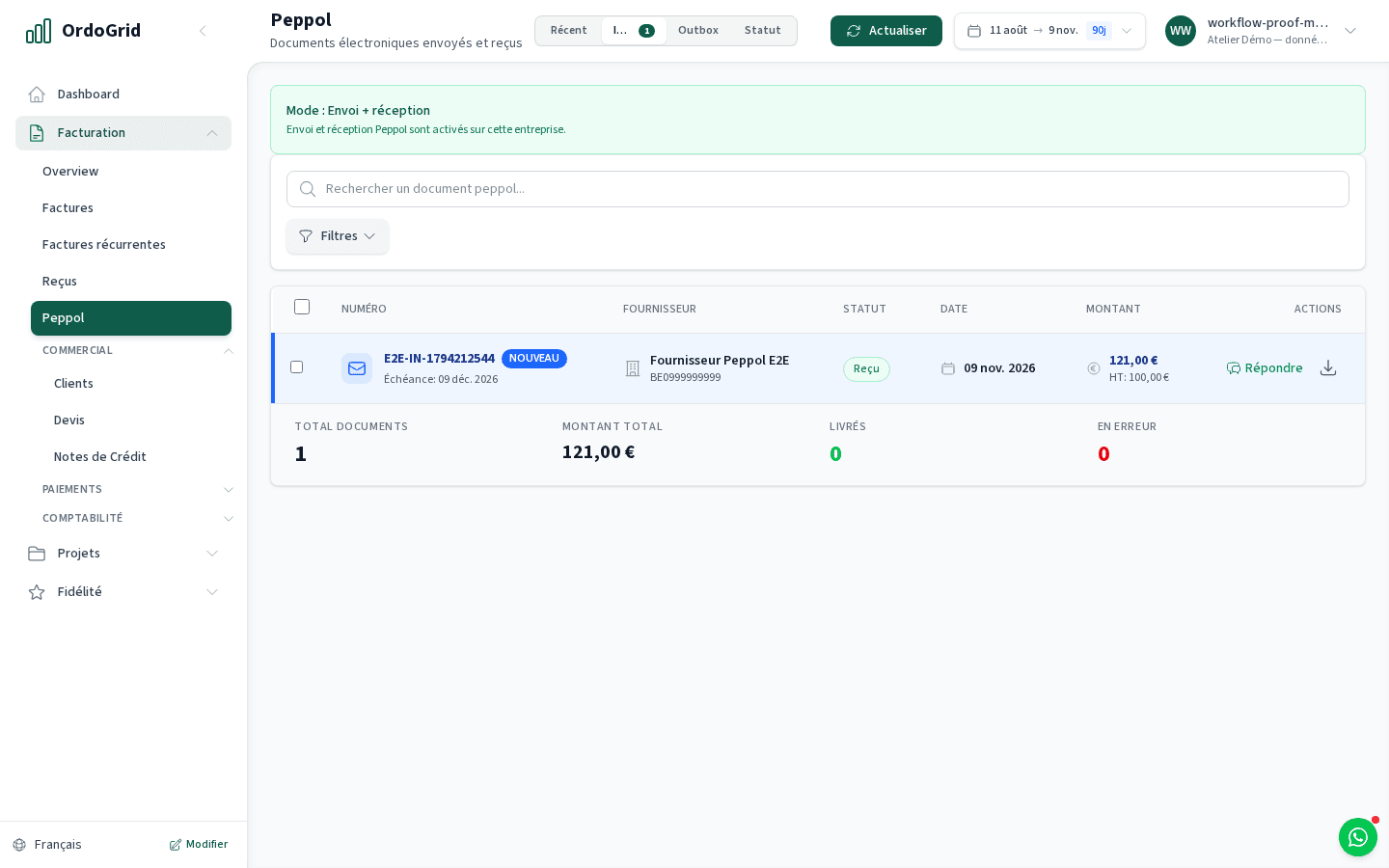
Activate receiving for your company, find incoming supplier documents in OrdoGrid and check them before taking the next step. Unlimited Peppol receiving is included in the free forever plan; storage limits remain separate.
For a sole trader or small team that needs a clear place to check supplier identity, invoice references, amounts and attachments. Sending your own invoices and receiving supplier invoices are independently configured activities.
Compare plansHow the workflow works
Confirm where the company receives
Complete the company and Peppol approval setup with owner/admin access. Activate receiving in OrdoGrid. If another provider already receives for the same participant, arrange the transfer with that provider first.
Give suppliers the right identity
Share the company’s receiving identity with suppliers and confirm the receiving status. A participant lookup helps with routing; it does not prove that a particular invoice has already arrived.
Check each incoming document
Open the inbox item and compare supplier, recipient, reference, amount, period and any attachment with the purchase. Keep a correction or duplicate question tied to the original document.
Keep documents and handle payment
Download the available original XML and rendering for your records or accountant. Where a response is supported, distinguish it from bank payment. Paying the supplier is a separate action; Business adds bank matching.
Worked example
Three inbox items, three different decisions
An item in the inbox proves receipt of a document. It does not show that the purchase was approved, posted in your accounts or paid from your bank.
- Office supplies · supplier reference received
- Check the order and amount
- Maintenance · possible duplicate
- Ask the supplier before paying
- Credit note for returned goods
- Keep it with the original invoice
Decide with the limits in view
- Receive mode must be active. Send-only operation leaves receiving with the provider configured for it.
- A PDF is a rendering or attachment; preserve the structured document when it is the exchanged invoice. Missing PDFs are not evidence of missing XML.
- Receiving is not an automatic bank payment, accounting entry or approval chain. Plan storage and access permissions still apply.
Before you choose
- Can I receive without paying for Starter?
- Yes. The Free plan includes unlimited Peppol receiving. The monthly limit of one outgoing invoice concerns sending, not the number of supplier invoices received.
- What if I already receive through another provider?
- Coordinate the receiving transfer before enabling it here. Keep access to the earlier documents and confirm the new status with a real receiving check.
- Does this replace bank reconciliation?
- No. The inbox collects documents. Importing bank movements, matching them and making the Business Accounting package are separate workflows.
Continue with the practical guides
Read the relevant guide for detailed steps and dated references.
Inside the application