Know what is still due
Follow the balance. Record the money that actually arrived.
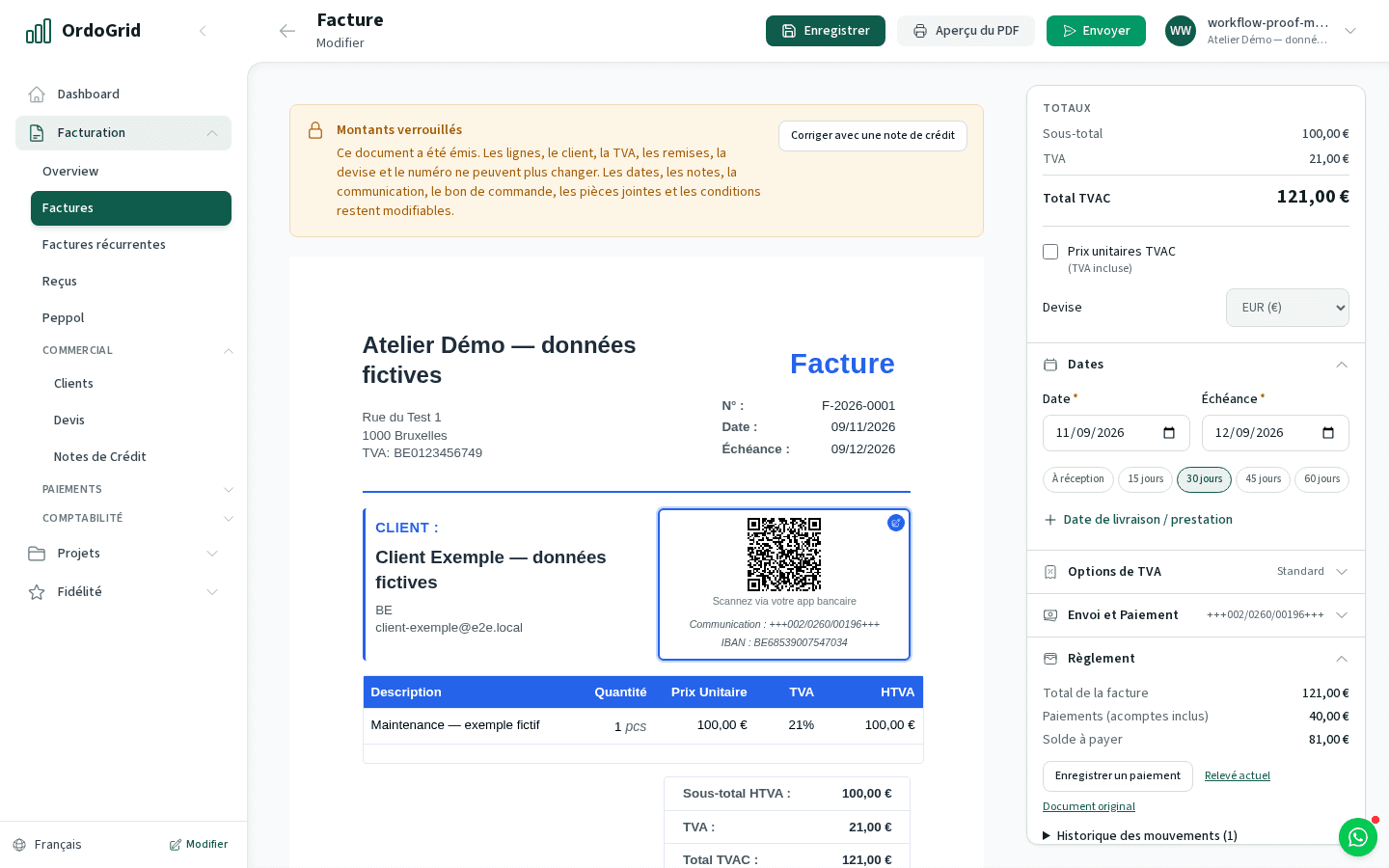
Read an invoice’s outstanding balance, record full or partial receipts and keep the payment history with the document. Sending, network delivery and a customer’s promise to pay do not prove that your bank received the money.
For freelancers and small teams following up open customer invoices. Use the due date and actual settlement to decide who needs a reminder, while keeping any commercial dispute separate from the payment record.
Compare plansHow the workflow works
Read the invoice and its due date
Open the invoice’s settlement information. Check invoice total, linked credits, recorded payments and outstanding balance. Use the movement history if the displayed balance needs explaining.
Record only confirmed receipts
An owner/admin records the amount actually received, its date, method and reference. Record a partial payment as that amount only. A remittance notice or planned transfer is not a receipt.
Follow up the unpaid part
Contact the customer about the remaining balance under the original invoice number. Keep their response and any agreed correction. The current product does not send automatic reminder sequences or calculate collection interest.
Avoid recording the same receipt twice
Check movements created through Accounting matching or a successful Stripe payment before adding a manual entry. Reverse an erroneous recorded movement through the settlement controls instead of inventing a credit note.
Worked example
One invoice, a payment and an agreed credit
Follow up 689 using the original invoice reference. Do not issue another invoice for the remaining part, and do not record a promised payment as received.
- Invoice total
- €1,210.00
- Confirmed payment
- -€400.00
- Linked credit note
- -€121.00
- Outstanding to follow up
- €689.00
Decide with the limits in view
- Recording a payment is a record of money received; it does not initiate a bank transfer.
- Peppol delivery and invoice responses remain distinct from settlement. Verify actual receipts, including partial amounts.
- Automated reminders, interest calculation and debt recovery are not promised. Use the detailed guide and appropriate advice for the customer’s situation.
Before you choose
- Can I record a partial payment?
- Yes. Record the exact receipt, then check the outstanding balance and movement history. The rest remains due unless a linked correction changes it.
- Does OrdoGrid send reminders automatically?
- No automatic reminder sequence is included in this workflow. Use the open balance and due date to organise your own customer follow-up.
- Do I need Business for every payment entry?
- Manual invoice settlement is available in the invoice workspace. Business is needed for the separate Accounting bank workflow and Stripe payment capability.
Continue with the practical guides
Read the relevant guide for detailed steps and dated references.
Inside the application