Subscriptions, retainers and maintenance
Schedule recurring invoices. Keep control of every period.
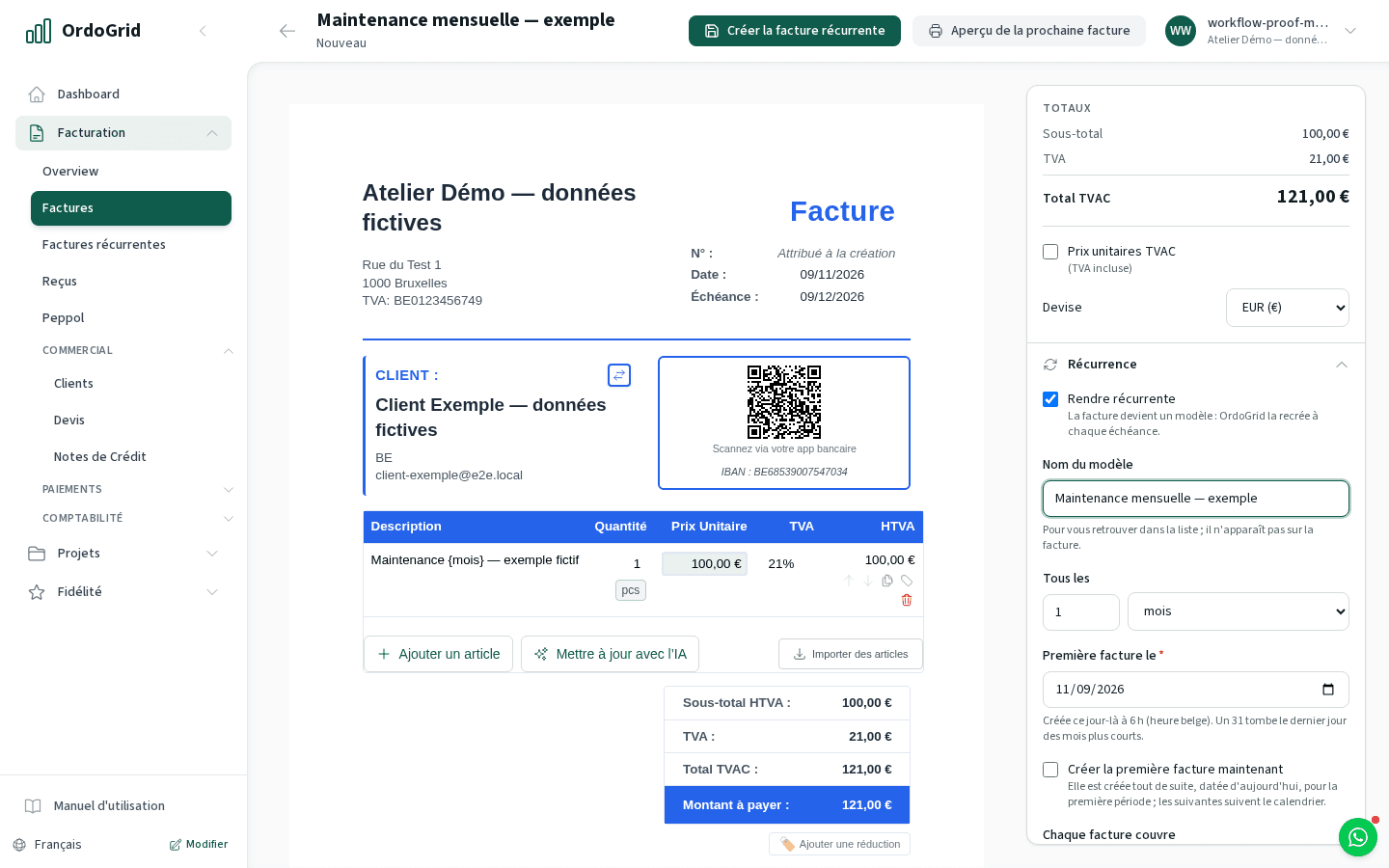
Prepare the customer, lines and billing rhythm once. OrdoGrid issues a separately numbered invoice for each occurrence, with automatic sending or a draft for review. Follow delivery and payment separately from the schedule.
Useful when the same agreed service returns each week, month, year or every X days. For changing hours or a new scope each month, review the billable work before choosing an automatic schedule.
Compare plansHow the workflow works
Set the agreement and the first period
Choose the customer, amount, VAT treatment and payment terms. Set the start date, interval, billing in advance or arrears, and an end date or maximum number of occurrences where needed. Add a fixed PO when the customer requires one.
Choose automatic sending or review
Send mode attempts Peppol when the company and customer meet the sending conditions; email is used where the channel rules allow it. Draft mode prepares each invoice for you to check and send manually.
Check issued invoices and exceptions
Each occurrence gets its own number and billed period. Failed or uncertain sending leaves a draft for manual handling; the schedule does not retry that send. Review the recorded reason before taking action.
Change the future, preserve the past
Edit, pause or end the template as the agreement changes. Earlier invoices remain separate records. A price correction for an already issued period follows the credit-note or additional-invoice process.
Worked example
A monthly maintenance fee, two separate invoices
The December invoice has a new number and period. A November payment or delivery status does not settle December. If a send fails, inspect that invoice instead of creating the same period again.
- Agreed monthly maintenance
- €120.00
- November period · F-2026-0142
- €120.00
- December period · F-2026-0168
- €120.00
Decide with the limits in view
- A recurring invoice is billing, not a direct debit or a customer subscription checkout. It does not collect money.
- An unconfirmed Belgian Peppol recipient can leave an automatic invoice as a draft rather than trigger an email alternative. Check the reason and the customer’s receiving setup.
- Paused periods are not caught up on resume. Missed occurrences during an outage are handled by the scheduler; inspect the issued list before creating anything manually.
Before you choose
- Can I review the invoices before they go out?
- Yes. Choose draft delivery on the template. OrdoGrid creates the occurrence and you review and send the resulting invoice.
- Will a failed send be retried automatically?
- No. Automatic delivery is attempted once after the schedule advances. The invoice remains a draft if sending fails; you handle that invoice manually after checking its outcome.
- Do price changes update earlier invoices?
- No. Template edits affect future occurrences. Use the correction workflow for a period already invoiced and retain the agreement behind the change.
Continue with the practical guides
Read the relevant guide for detailed steps and dated references.
Inside the application